
Manage people and apps
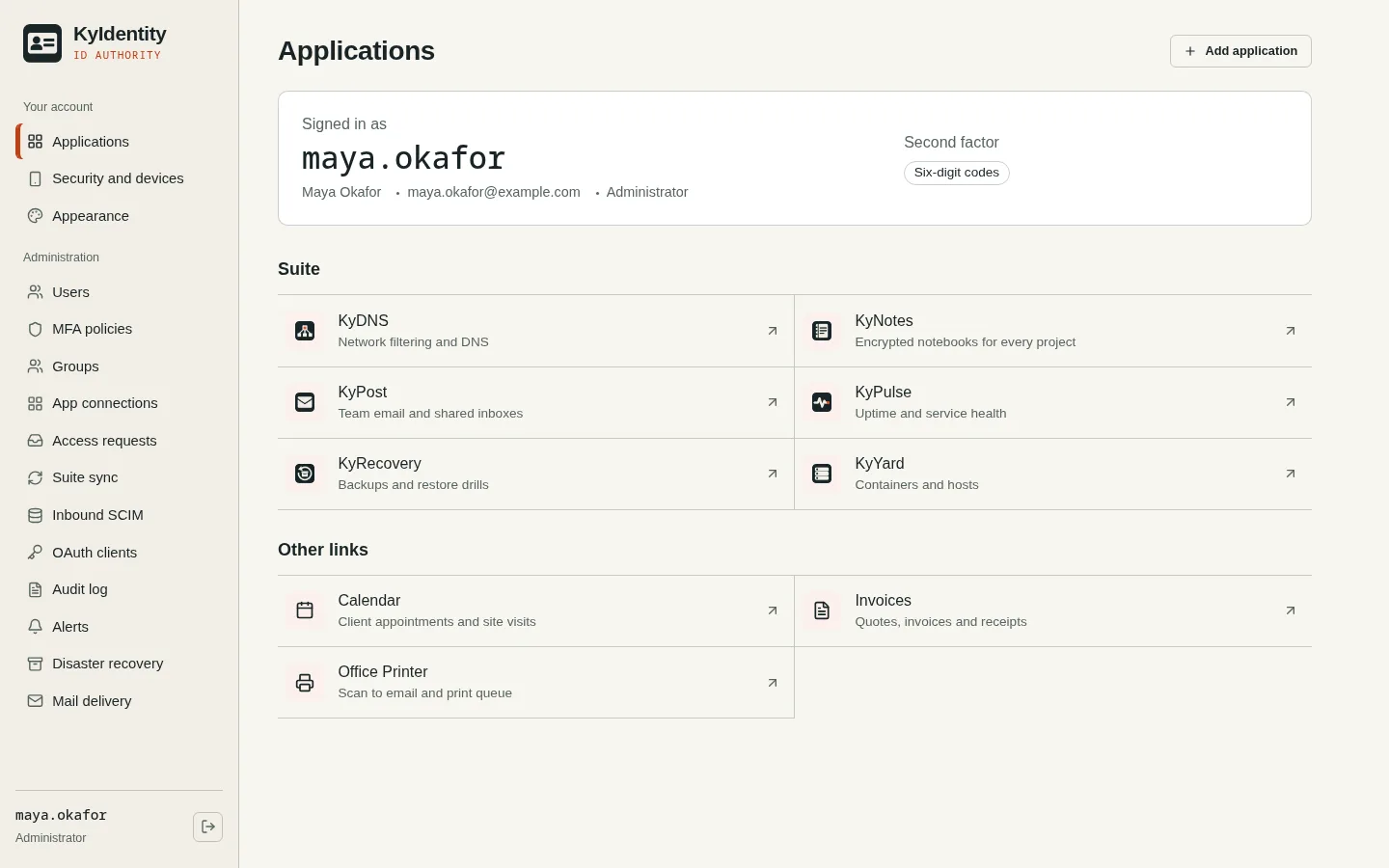
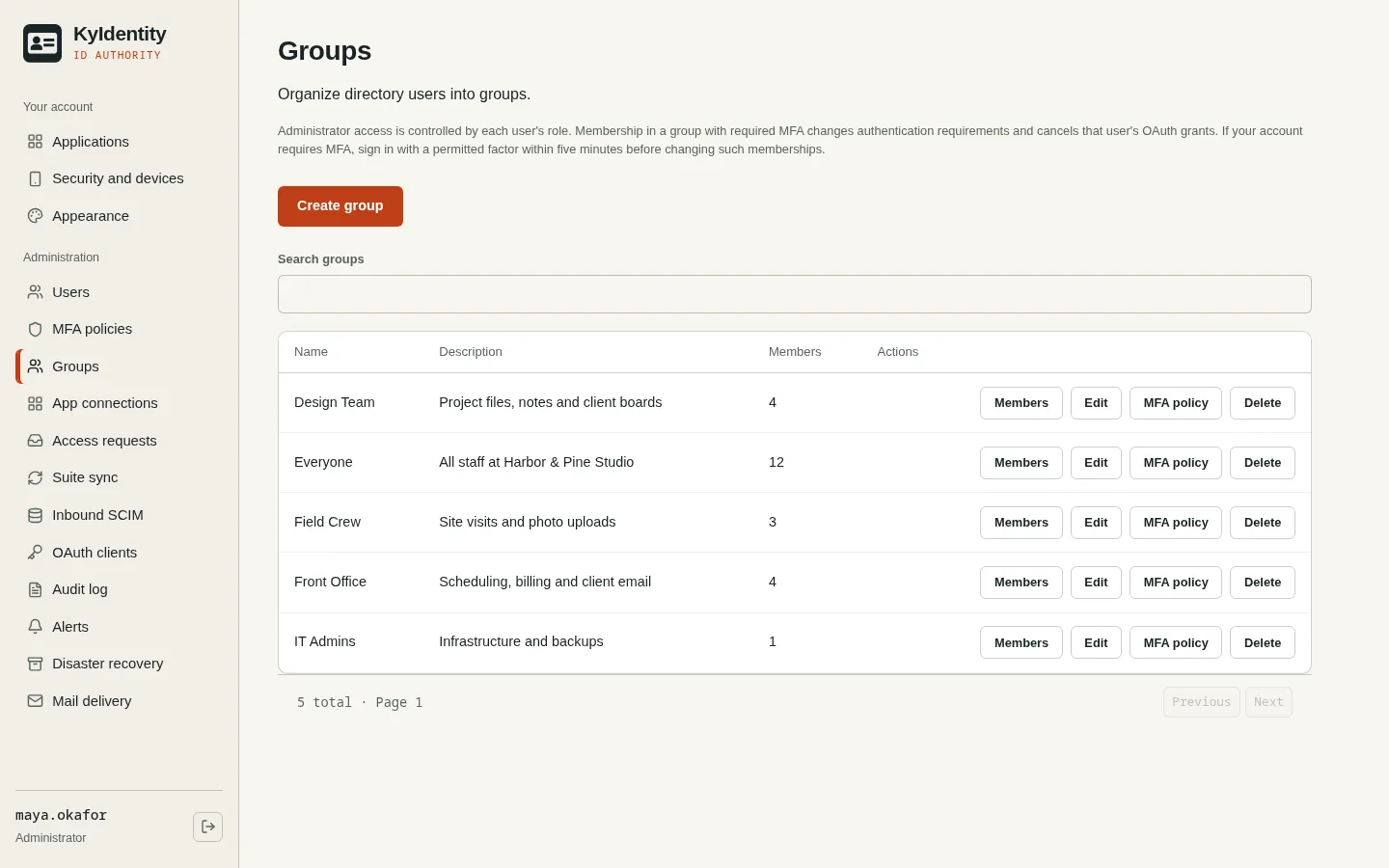
Invite users, organize groups, and assign access to applications. An app launcher gives people a place to find their connected tools.
KyIdentity / Accounts & access
A shared home for your organization’s accounts and app access. Run your own identity provider and let connected applications use the same sign-in.
Open source (MIT) · Self-hostedScreenshots
Inside KyIdentity
Invite users, organize groups, and assign access to applications. An app launcher gives people a place to find their connected tools.
Use authenticator codes, passkeys, or push approval in KyAuth. Set MFA policy per group or per app. Recovery codes help people regain access when a factor is lost.
OpenID Connect provides shared sign-in, with back-channel logout. SCIM works both ways: push accounts and groups to your apps, or let an upstream directory own accounts here.
How it fits together
KyAuth is the companion authenticator. It approves push sign-ins, generates authenticator codes, and can sign you in to connected apps from a paired phone without typing a password. Push arrives through the FCM/APNs relay, or directly over UnifiedPush with no Google services.
KyAuth for Android is in beta, built from its repository; no app-store listing yet. iPhone and Linux phone (postmarketOS, Ubuntu Touch) versions are in early development. Hardware attestation, which lets a verified phone count as MFA on its own, has not yet been tested on physical devices.
For administrators
Assign people directly or through groups, map application roles, and preview effective access. Each connected application still needs to enforce the permissions it receives.
Manage invitations, password resets and account deactivation. Configure email delivery for mailed invitations and self-service resets; without it, an administrator hands over activation links.
Search recorded events by actor, action, time and outcome, and export filtered records. An alerts page surfaces privilege changes, recovery use and connector problems.
Delegate with Helpdesk, Auditor and App owner roles instead of handing out full administrator access.
Grant access with an expiry date, set account end dates, and let people request access through an approval flow.
Disabling an account ends every session, revokes its tokens, and marks it inactive in every connected app, in one step.
Running your own identity service
Use HTTPS and choose the service address before enrolling devices and connecting applications. Changes to the identity service’s address can affect existing integrations and passkeys.
Protect the database and deployment keys, plan administrator recovery, and follow the project’s backup and restore instructions. KyRecovery integration supports sealed backups.
Register application callback addresses exactly. Account revocation and sign-out also depend on the receiving app’s token and session handling; a launcher link alone does not secure that app.
The operator manages accounts, authentication factors, app connections and audit records, and is responsible for access, updates and retention. Connected apps receive identity information according to their configured scopes and roles.
Read the Busnes.app privacy policy. For data held by an independently operated KyIdentity installation, contact its operator.
Next step
Start with the server setup guide, then review the integration requirements for your application.